
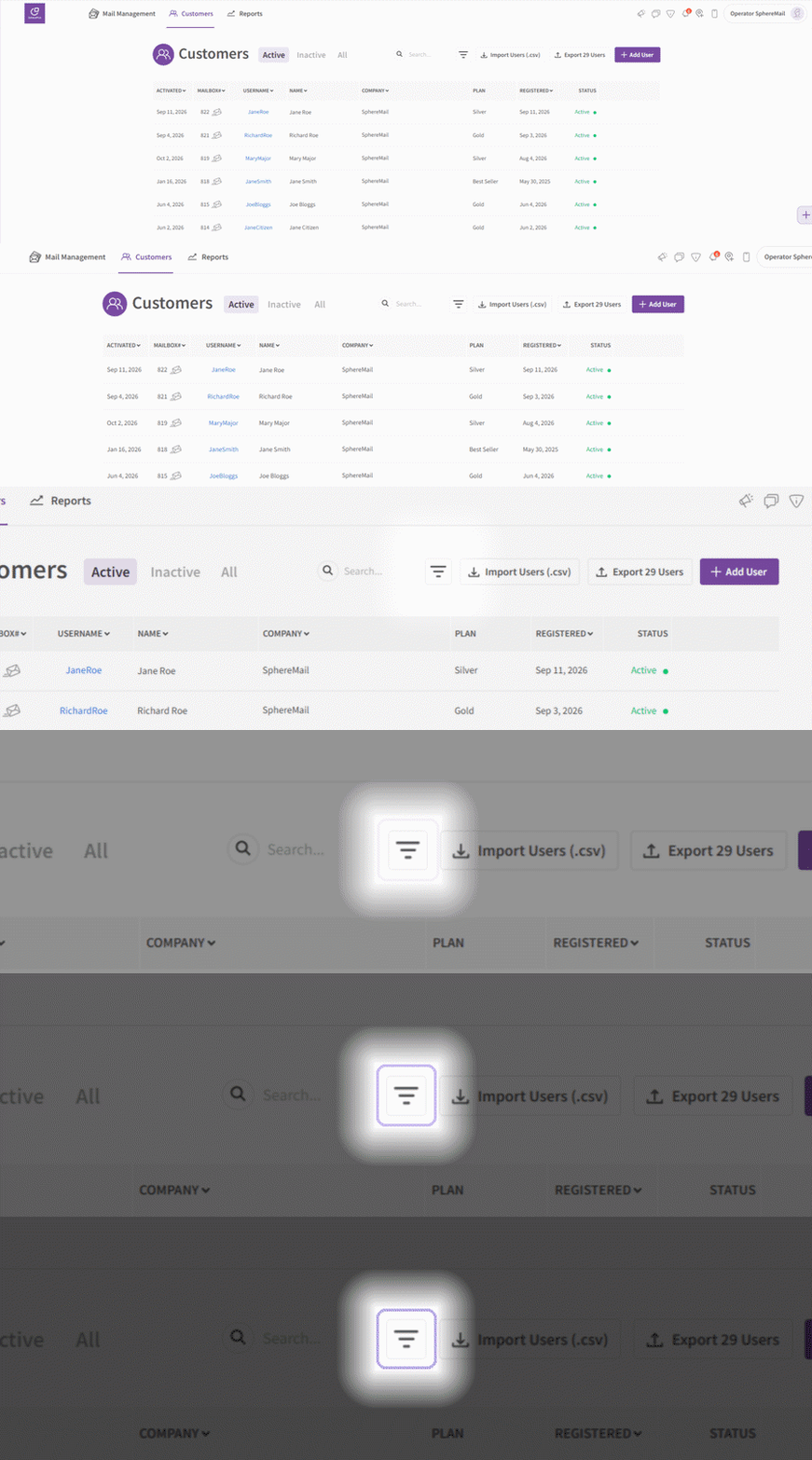
You can now filter your customer list by subscription type, making it easy to see which customers are on monthly, semi-annual, and annual plans.
How to filter your customers:
- Go to the Customers page from the top navigation.
- Click the filter button located next to the search bar.
- Select the subscription type you'd like to view.
Your customer list will update instantly to show only the customers that match your selection.
Exporting a filtered list:
Once you've applied a filter, clicking Export Users will export only the customers that match your selected subscription type. This makes it easy to pull a list of just your monthly or annual subscriptions for reporting or record-keeping.