
Operators can now attach specific terms of service to plans, giving you the ability to set custom terms and conditions on a per-plan basis rather than relying on a single and general agreement for all plans.
You can add plan-specific terms in two ways:
1. While creating a new plan:
- As you set up a new plan, you'll now see an option to attach plan-specific terms before finalizing the plan:
2. While editing an existing plan:
- You can also go edit any existing plan at any time and add or update it's terms.
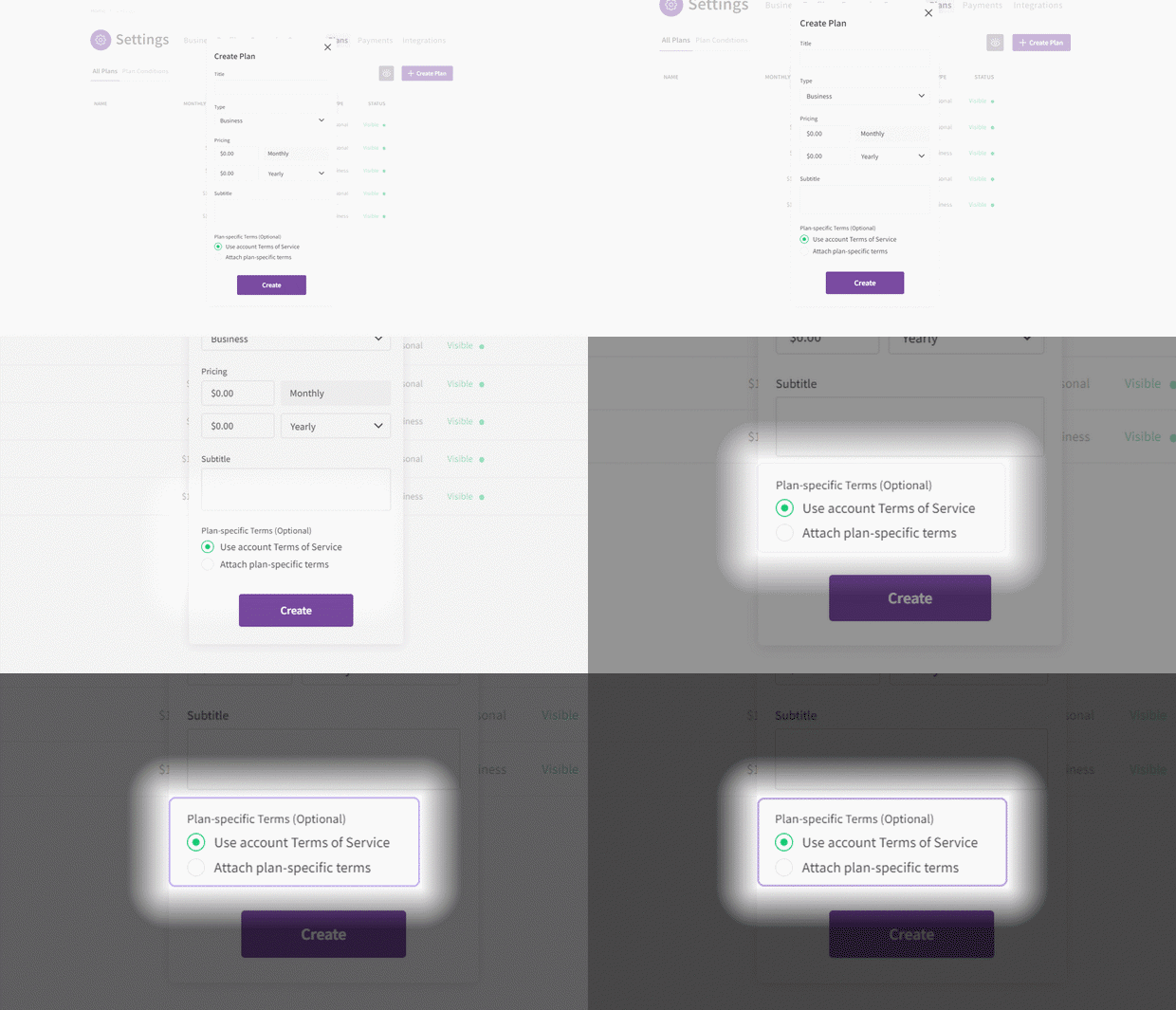
When setting up a plan, you'll have two options to choose from:
1. Use account Terms of Service:
- This is the default option. If selected, the customer will be required to agree to your default account terms of service (the ones uploaded in your account settings) upon subscribing to this plan.
2. Attach plan-specific terms:
- If selected, you can add terms specific to this plan by either linking a URL or uploading a file. The customer will then be required to agree to this plan's specific terms upon subscribing, in addition to your default account terms.
When attaching terms to a plan, you'll have two options to choose from:
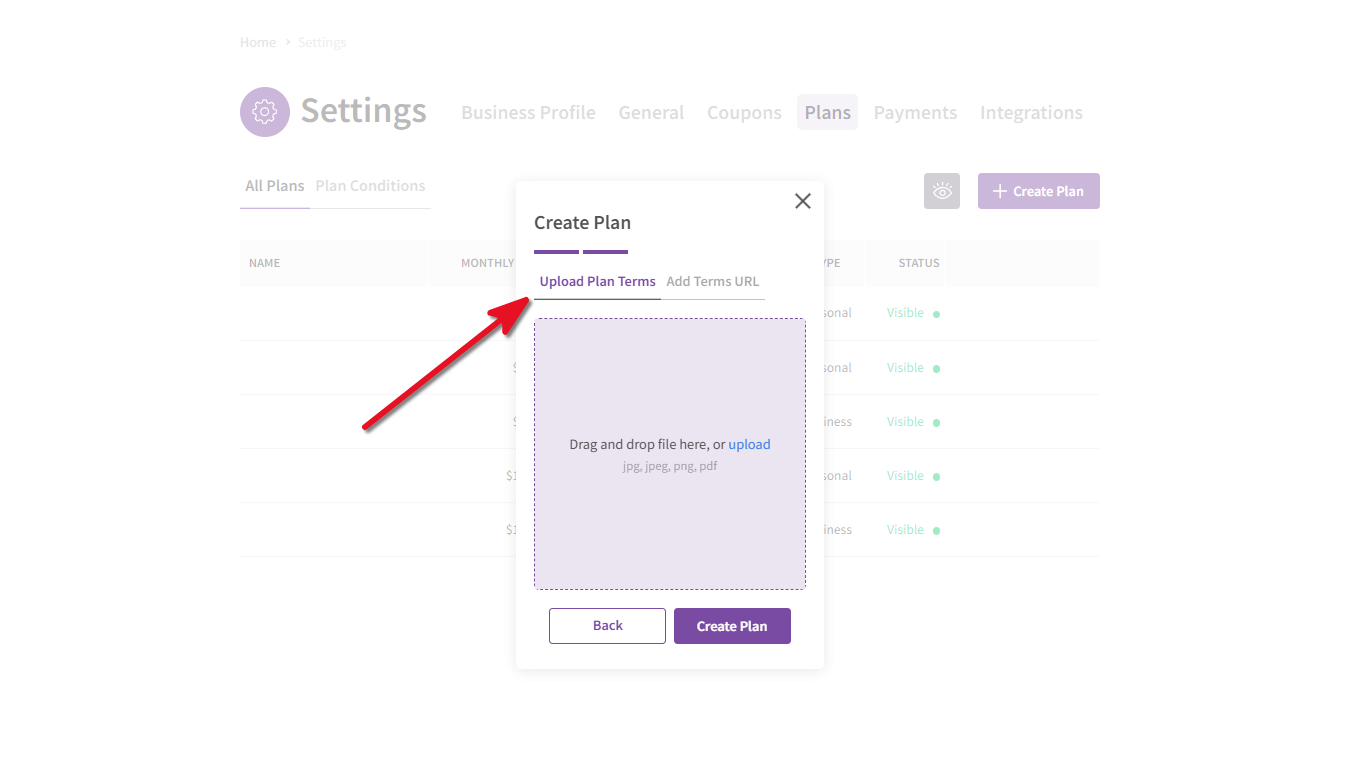
1. Upload Plan Terms:
- You can choose to upload one of the following formats: JPG, JPEG, PNG, and PDF.
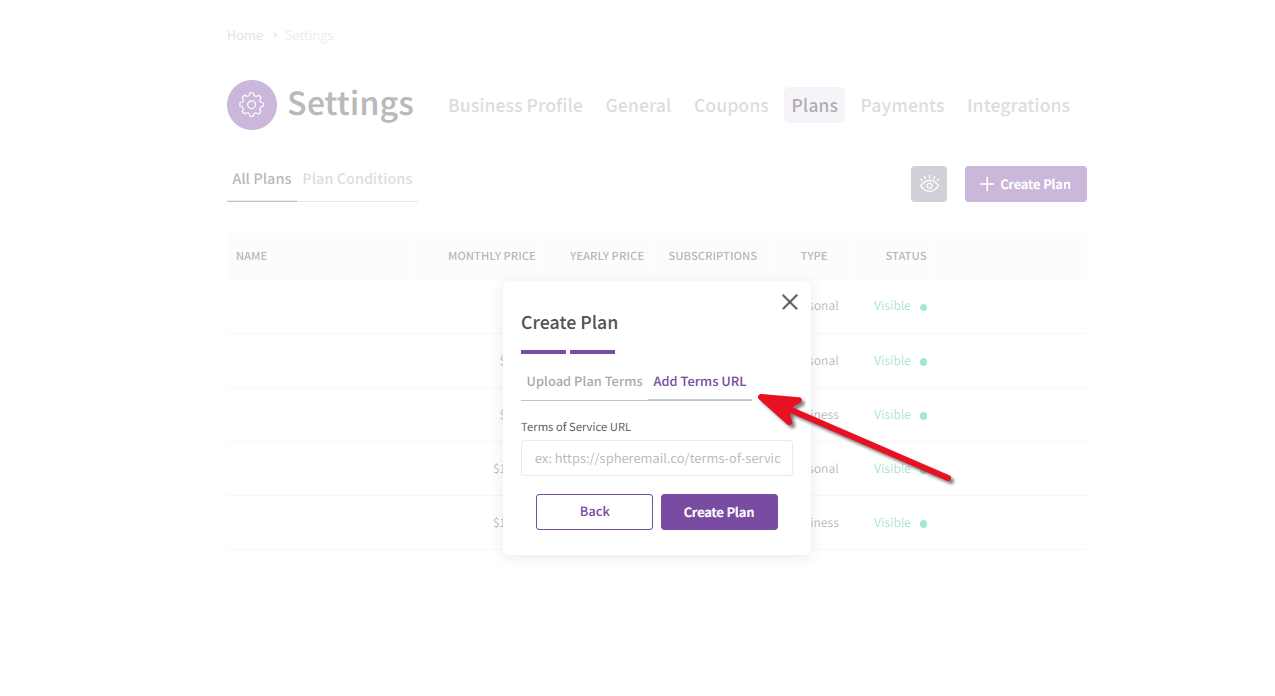
2. Add Terms URL:
- You can choose to link directly to an existing terms of service page.
Once terms are attached a plan, customers will be required to agree to those terms while subscribing to that plan. They won't be able to complete their subscription without accepting the attached terms first.