
As a CMRA or Virtual Office/Mail service provider, you're required to verify your customers' information and maintain copies of their forms and documents. We've just made this easier by upgrading your customers' quarterly reports into a comprehensive compliance tracker where you can access and review all relevant information at a glance.
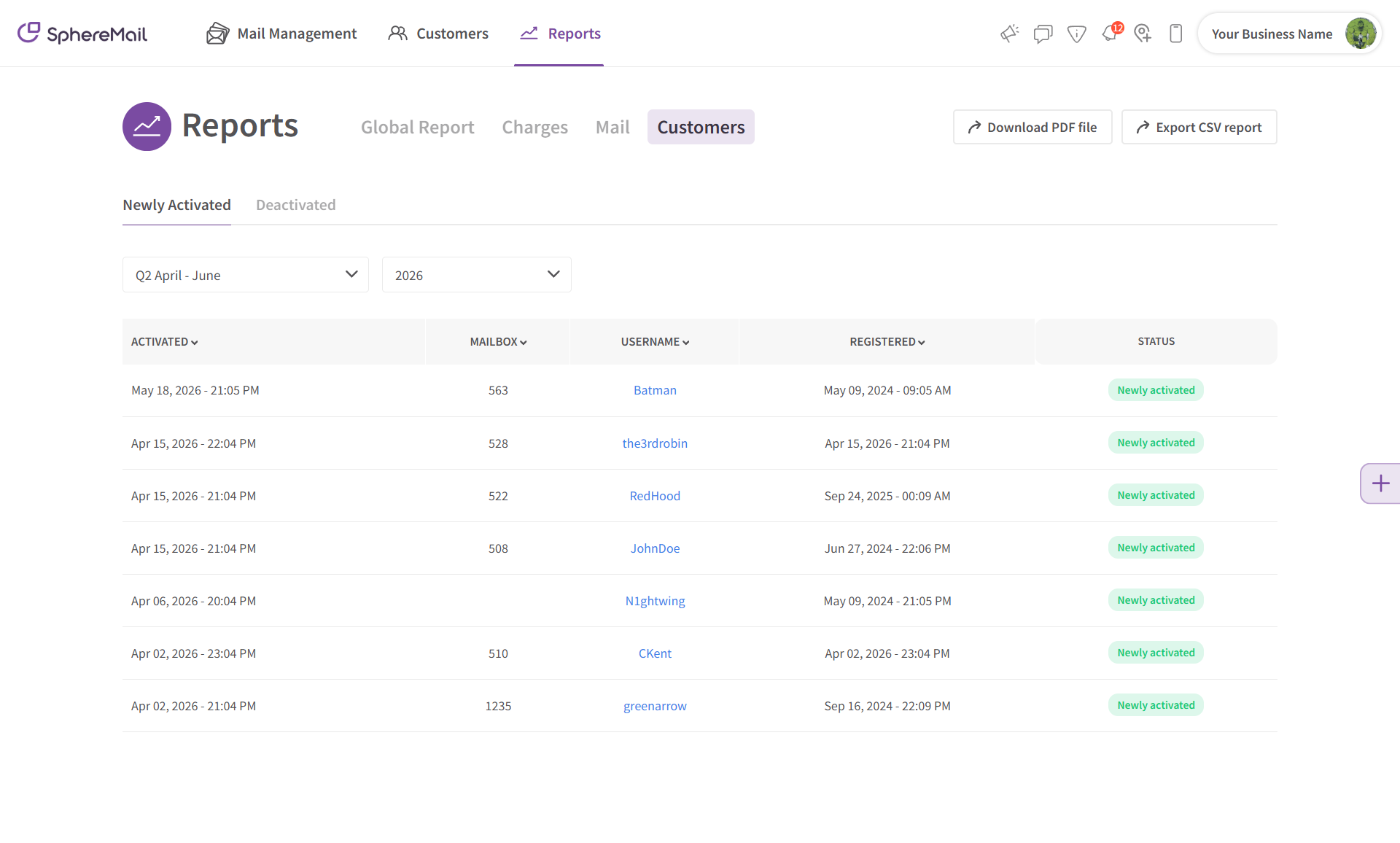
Older version:
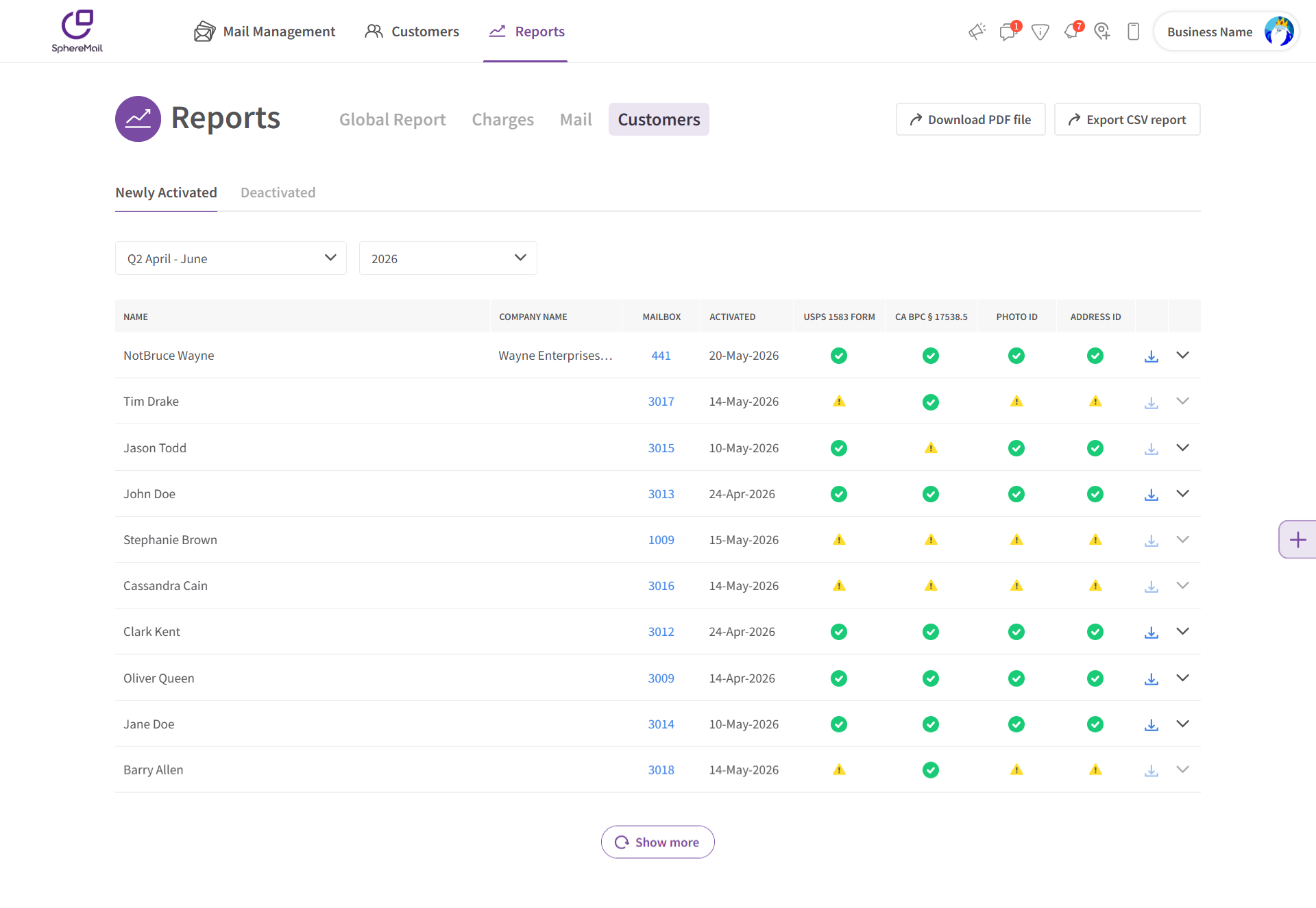
Updated version:
The new tracker still follows the same process and arrangement of the older quarterly reports:
- It shows the customer data for the current quarter by default, but you can select any quarter and year you'd like to view.
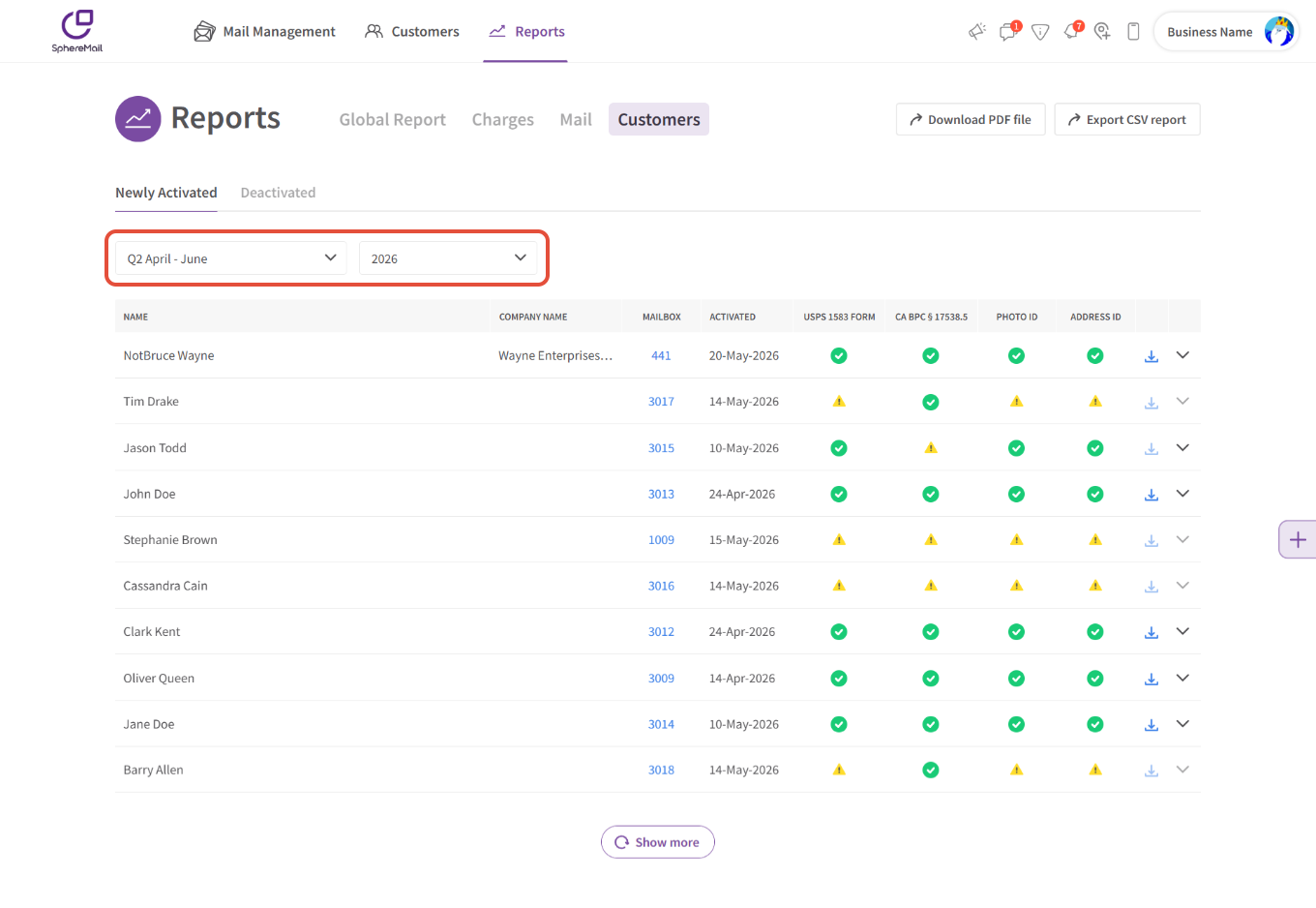
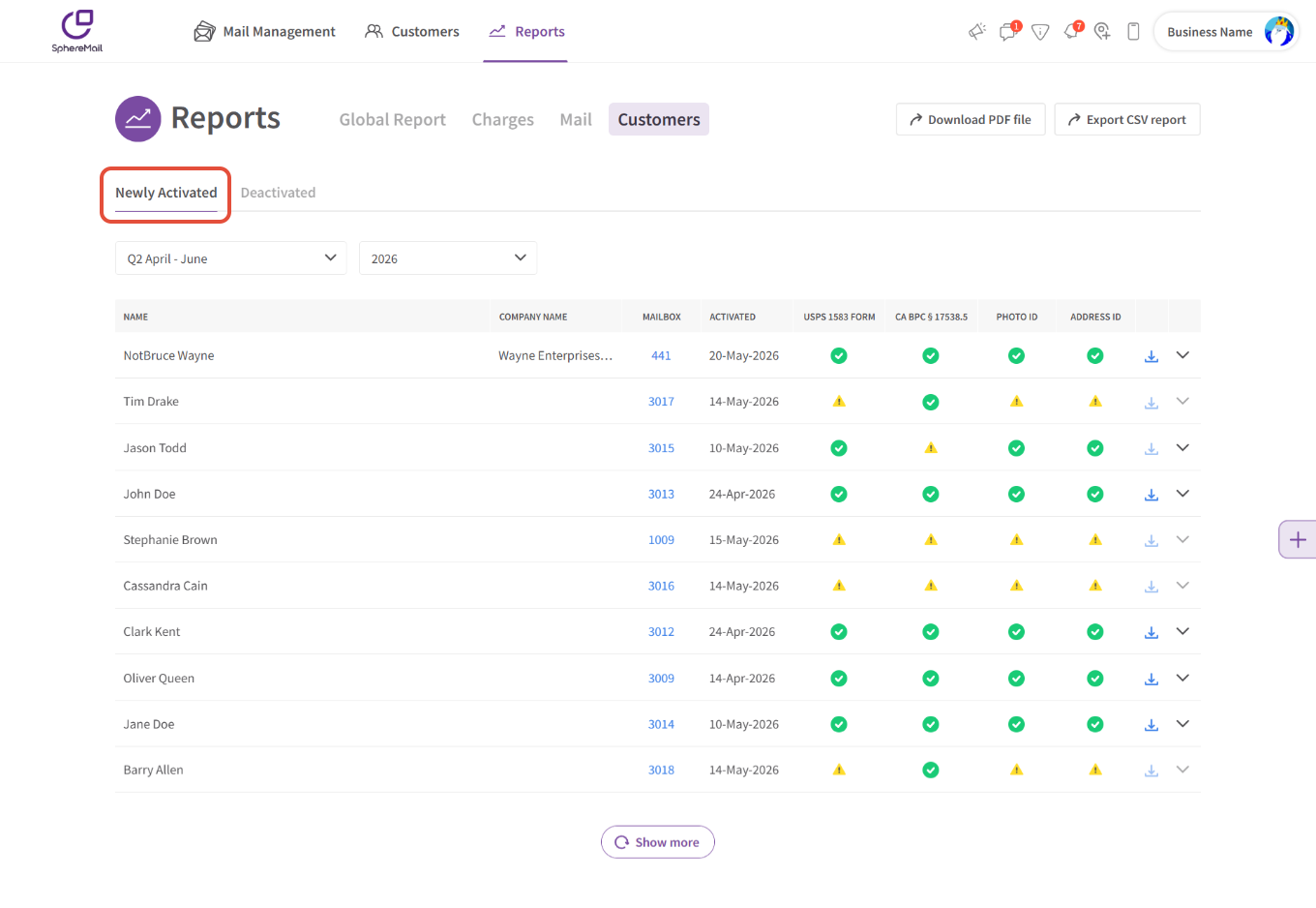
- Customers that were activated during the selected quarter will be listed under the "Newly Activated" tab.
- Customers that were deactivated during that same quarter will be listed under the "Deactivated" tab.
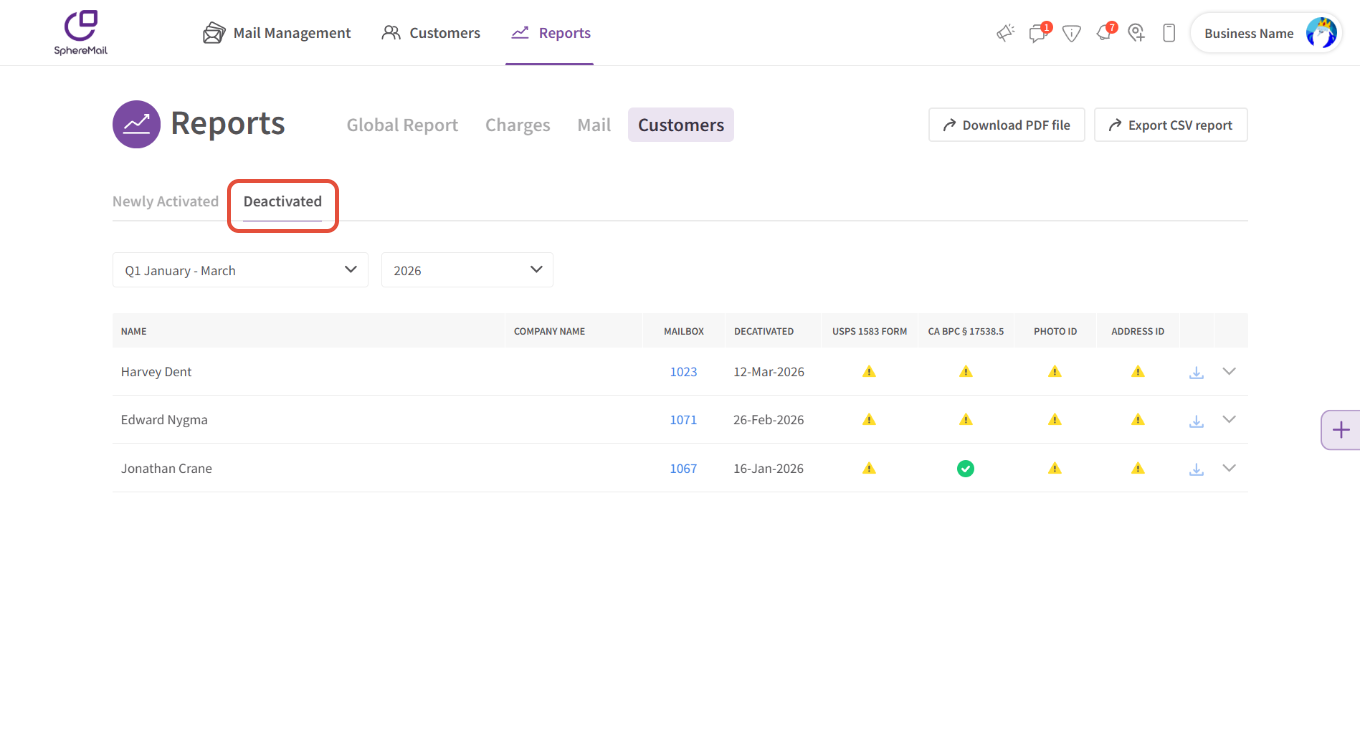
- You can download this data at any time as a PDF or CSV file.
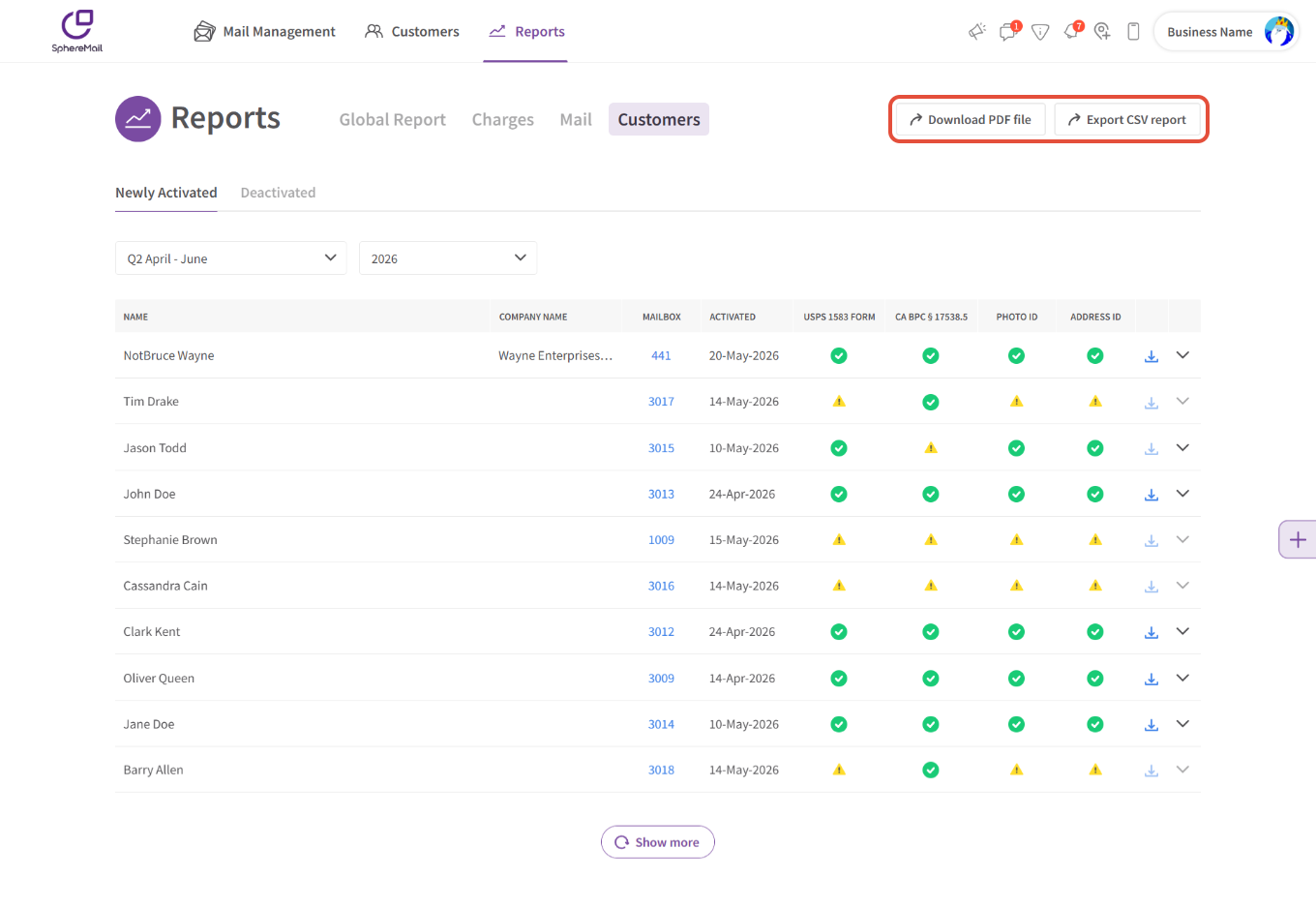
What's new:
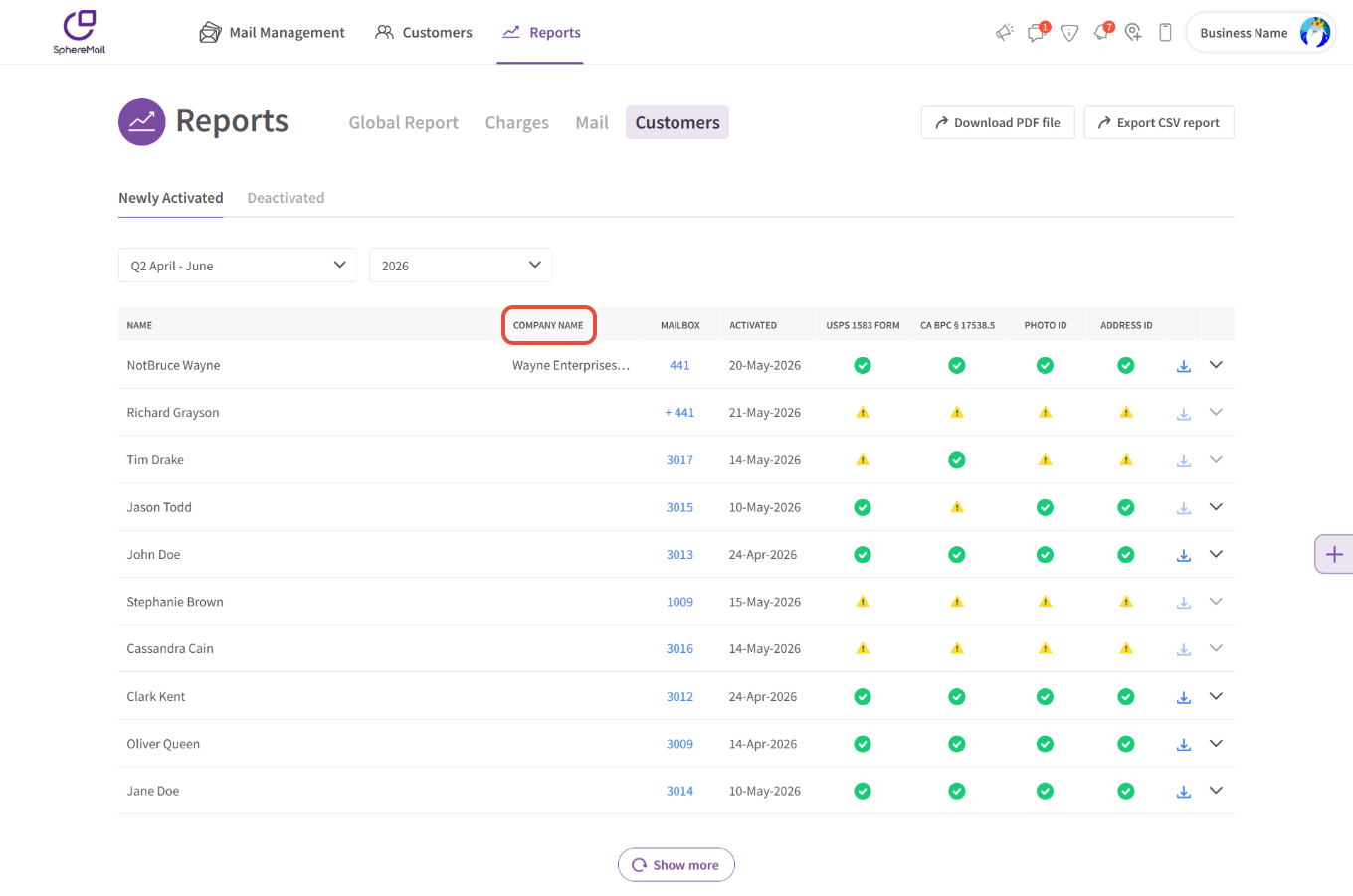
Instead of usernames, the tracker shows the customer's full name.
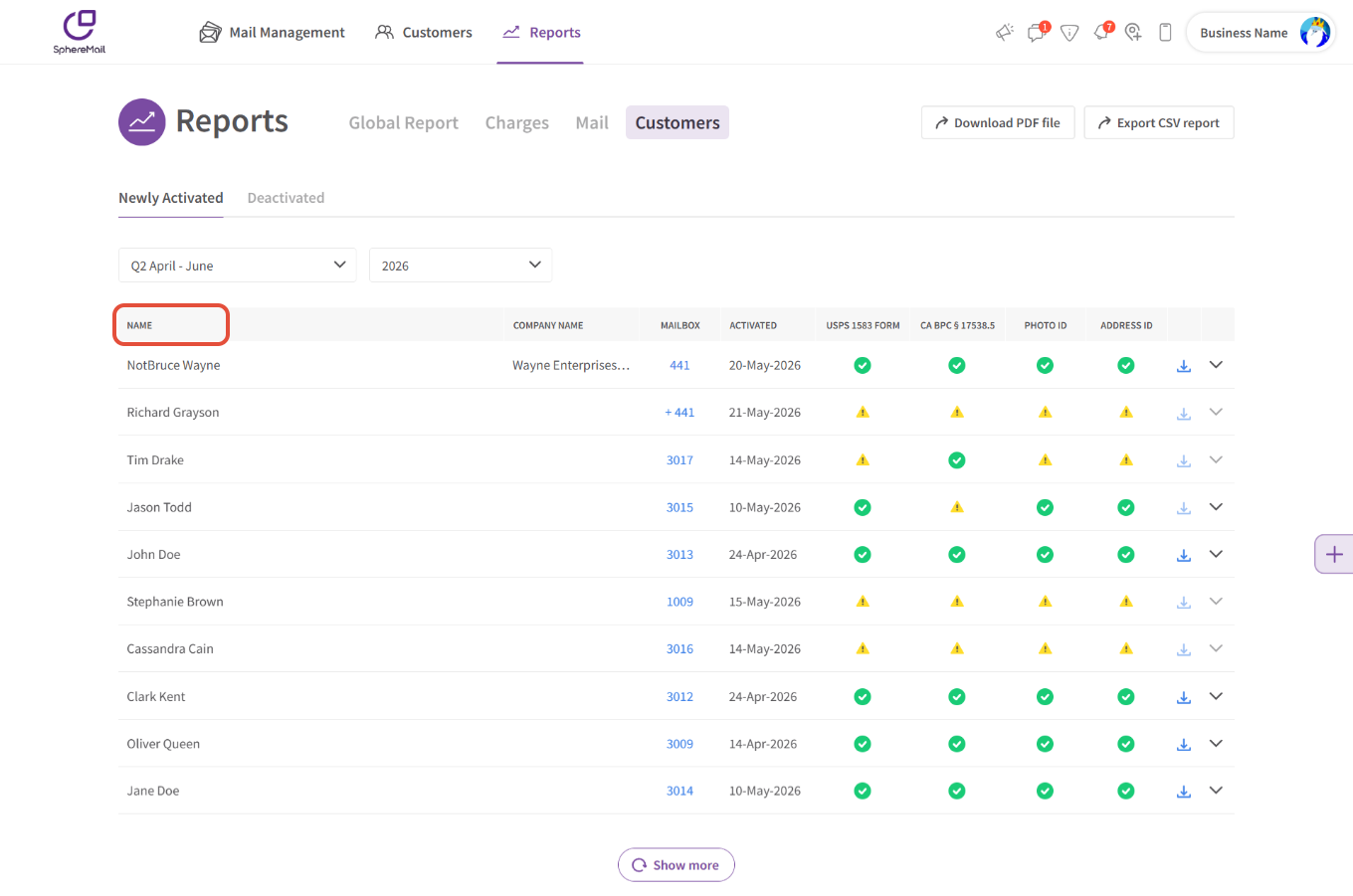
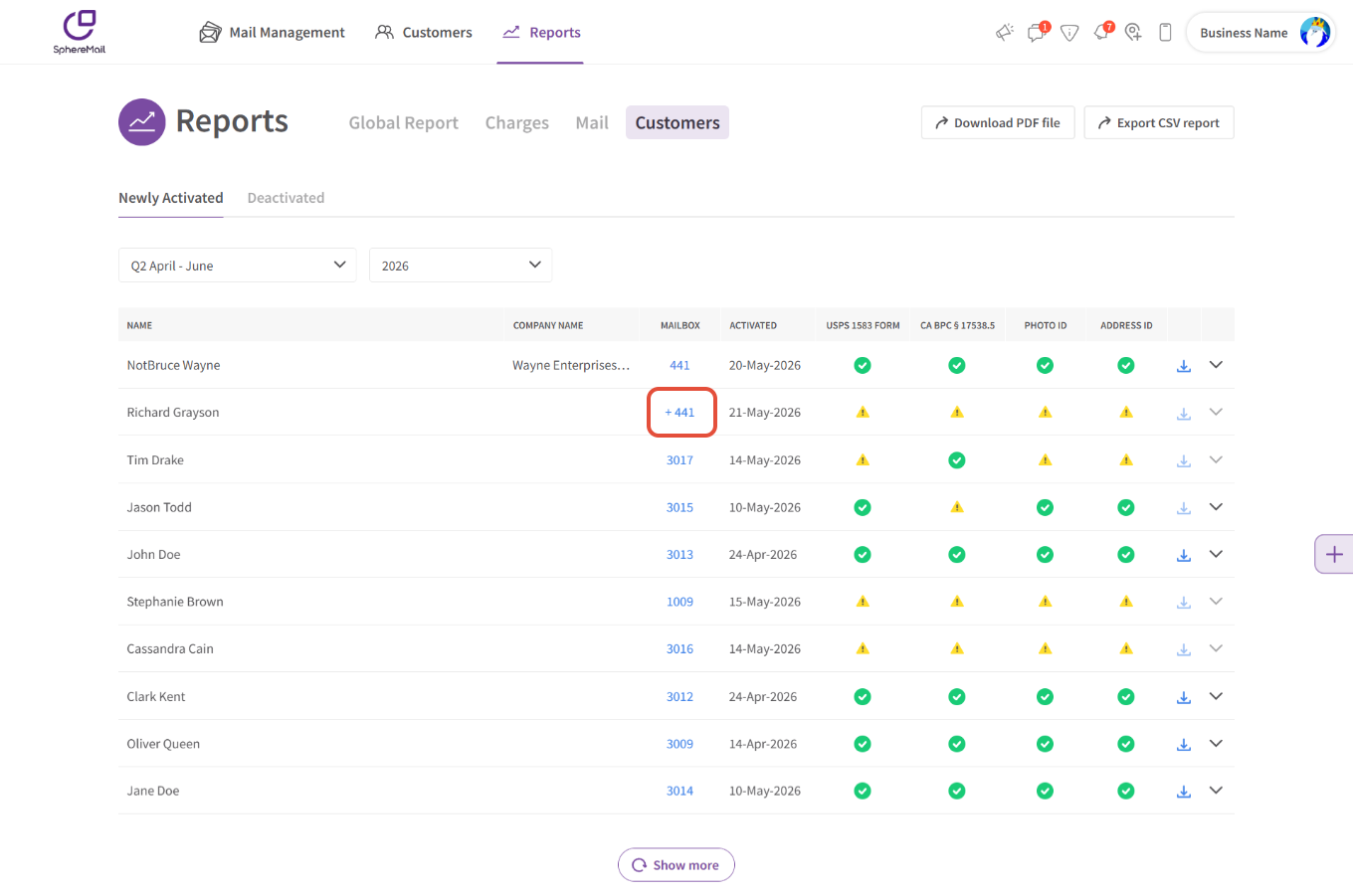
- Additional recipients are listed with a + sign next to the Mailbox# to easily identify which account they're registered under.
- A new column for company names is added, and the customer's business will be listed if they're subscribed to a business plan and/or selected "Business/Organization use" when notarizing their PS 1583 Form.
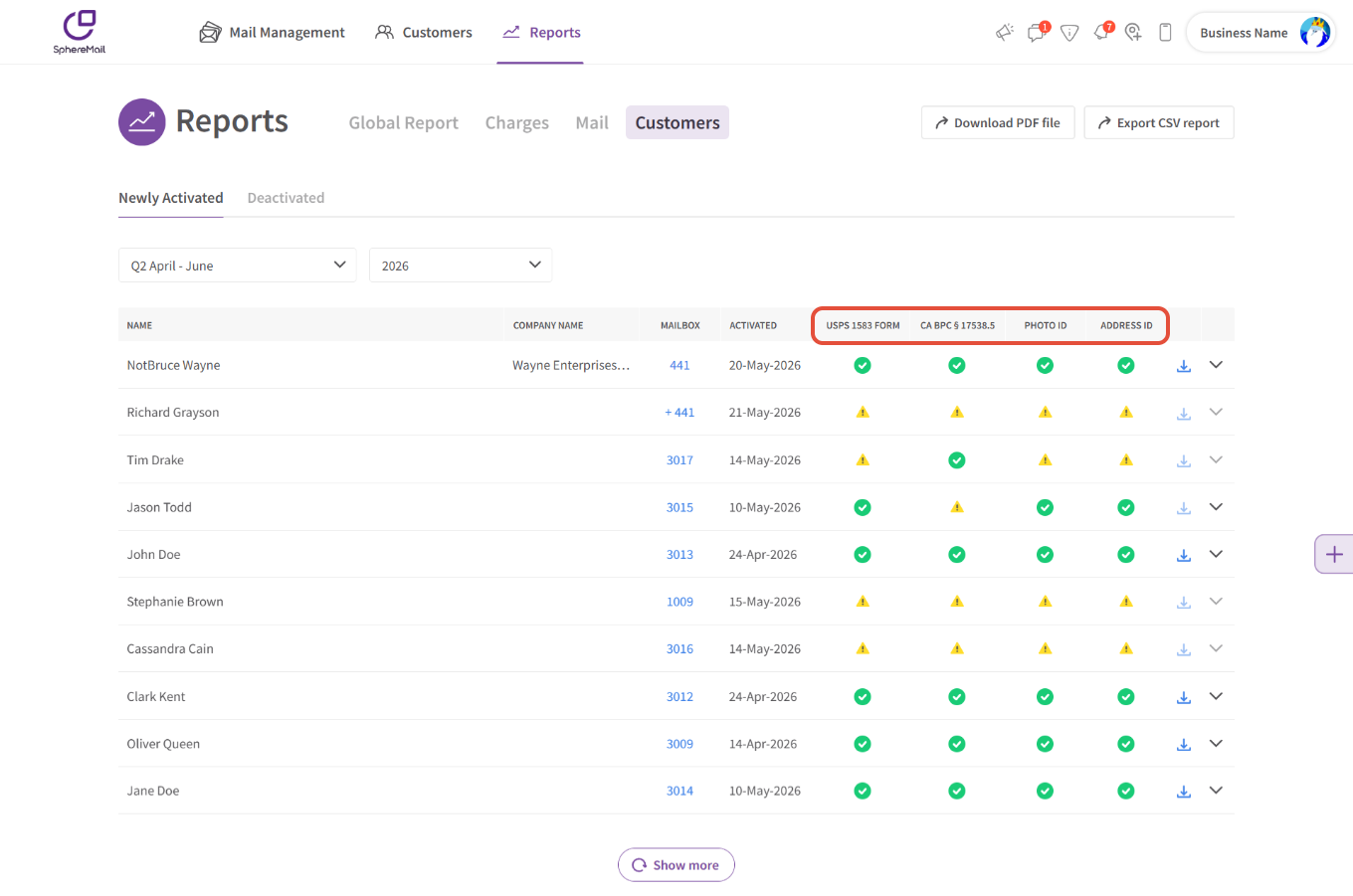
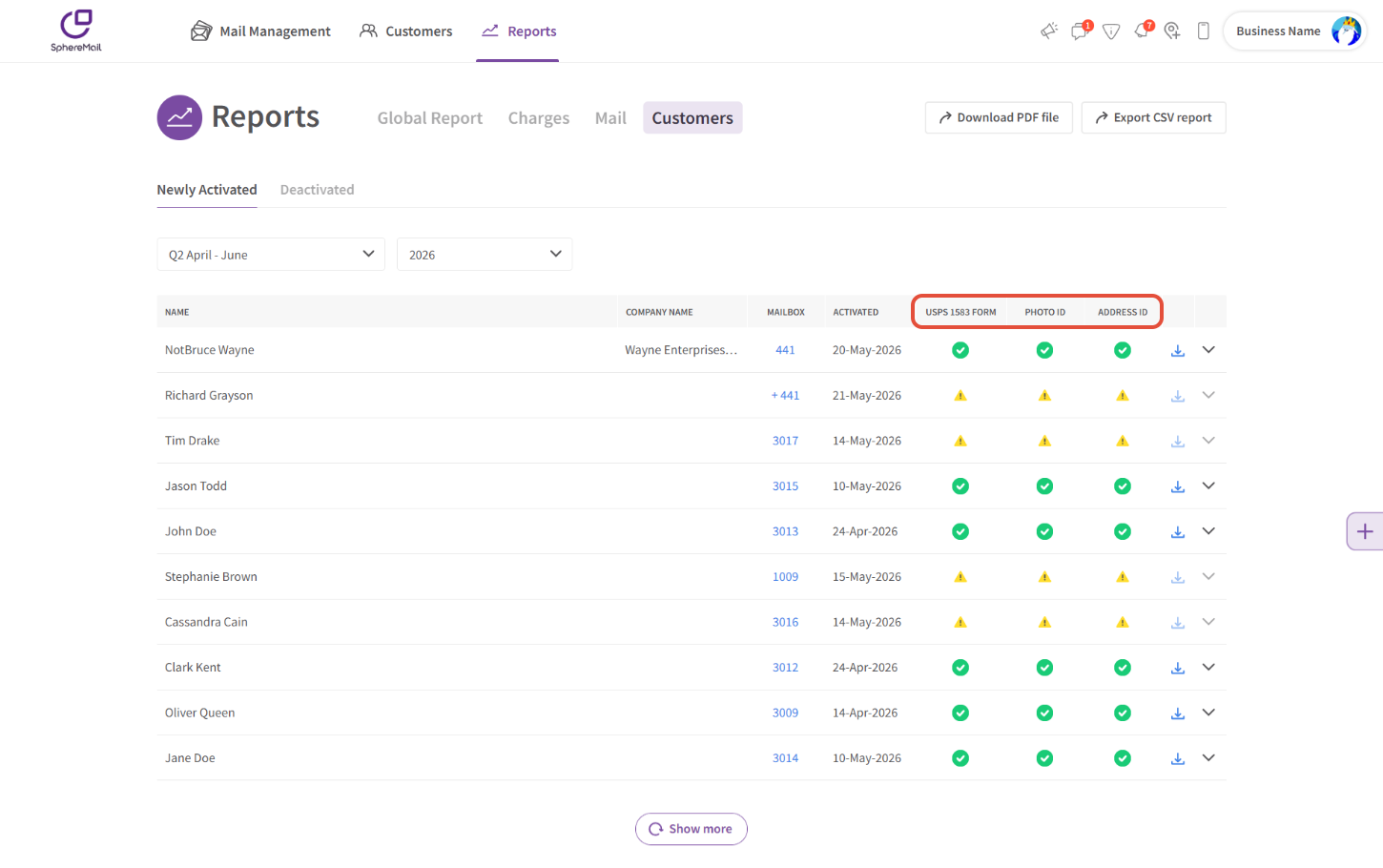
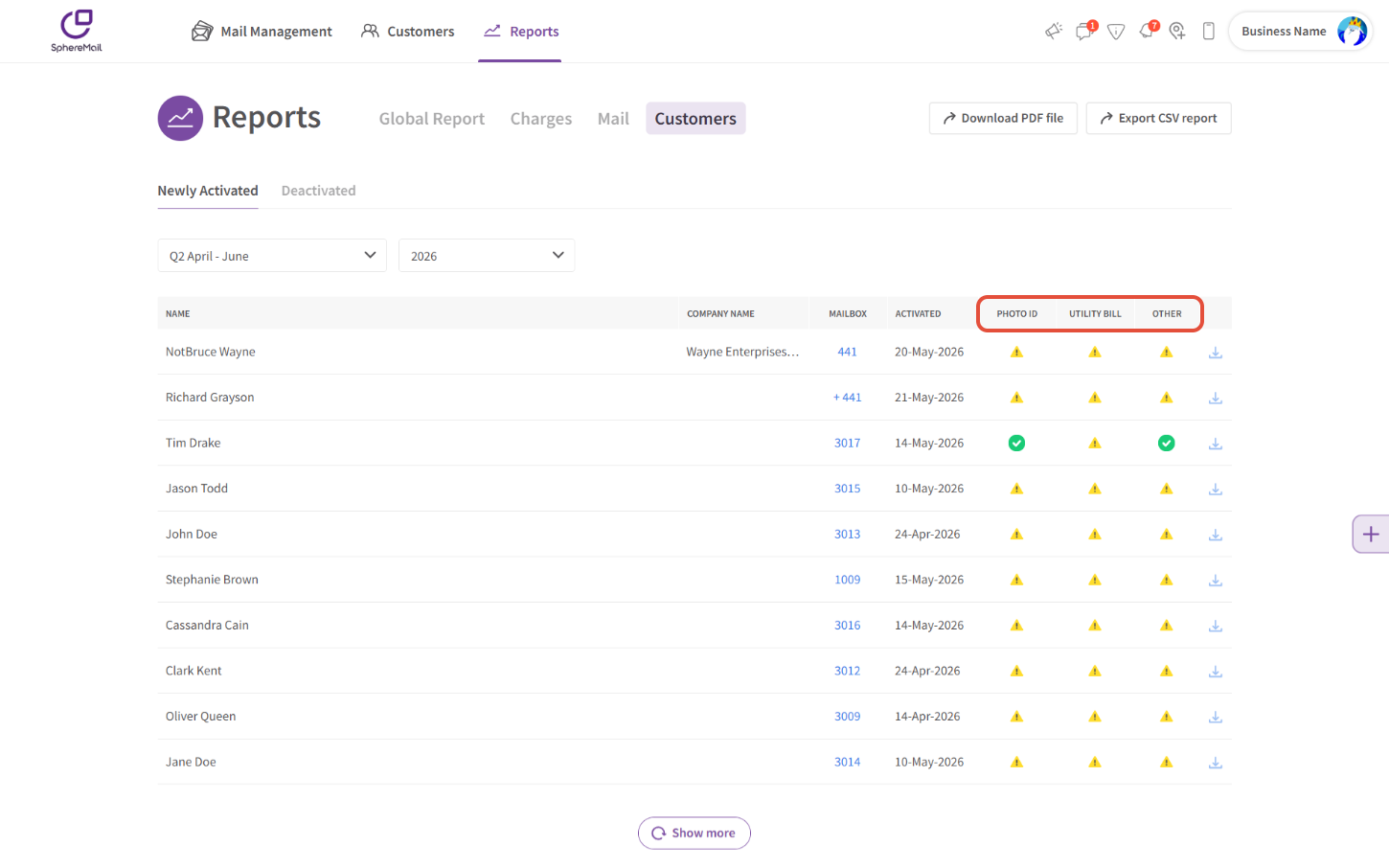
- New columns are added for each required document so you can review what the customer's provided, what's been approved, and what's still missing. The columns update depending on where the operator is based:
- US CMRAs that are based in California:
- US CMRAs that are based in all other states:
- International Operators:
- US CMRAs that are based in California:
- An option is added so you can download all the customer's approved documents in bulk.
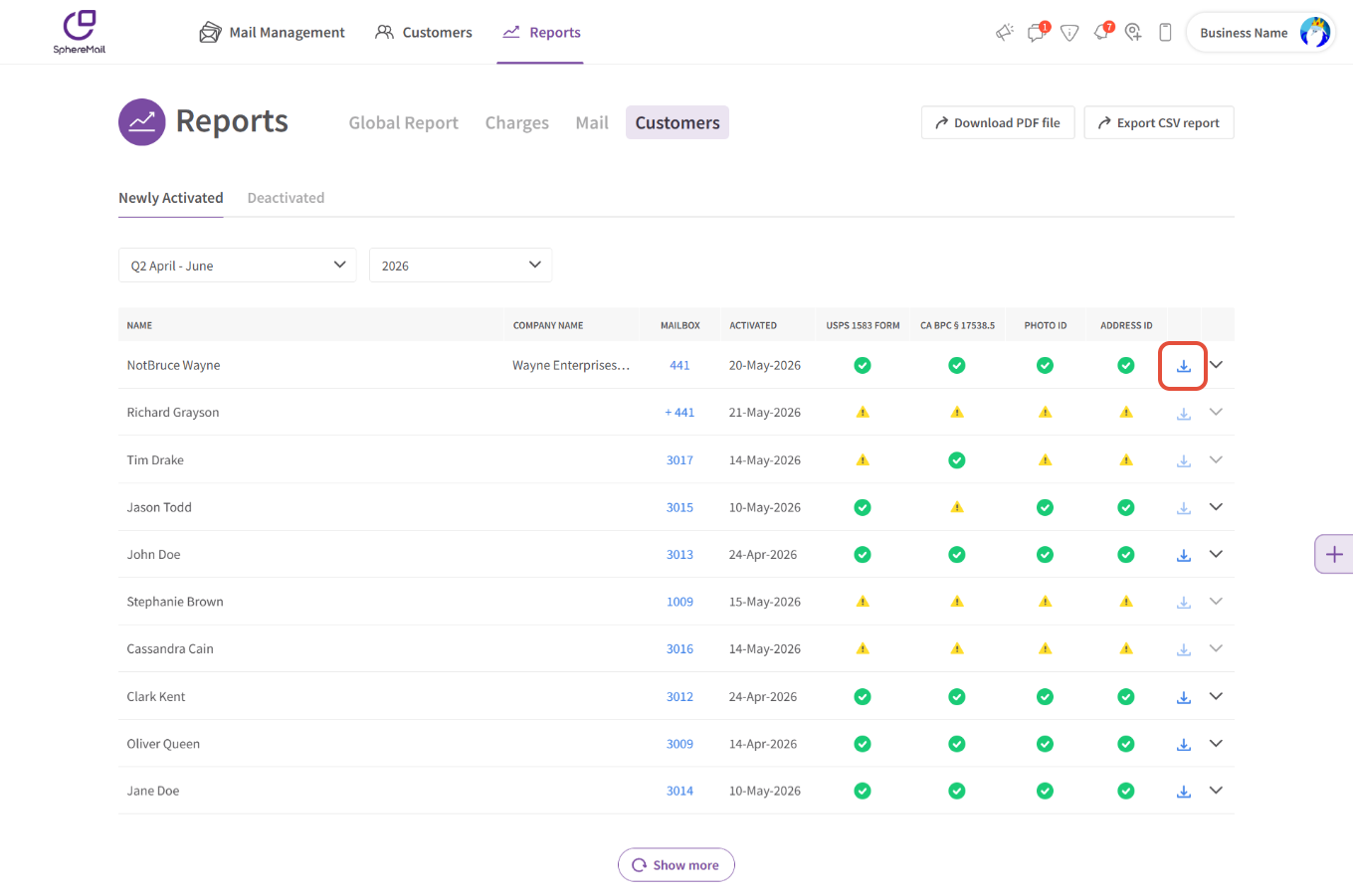
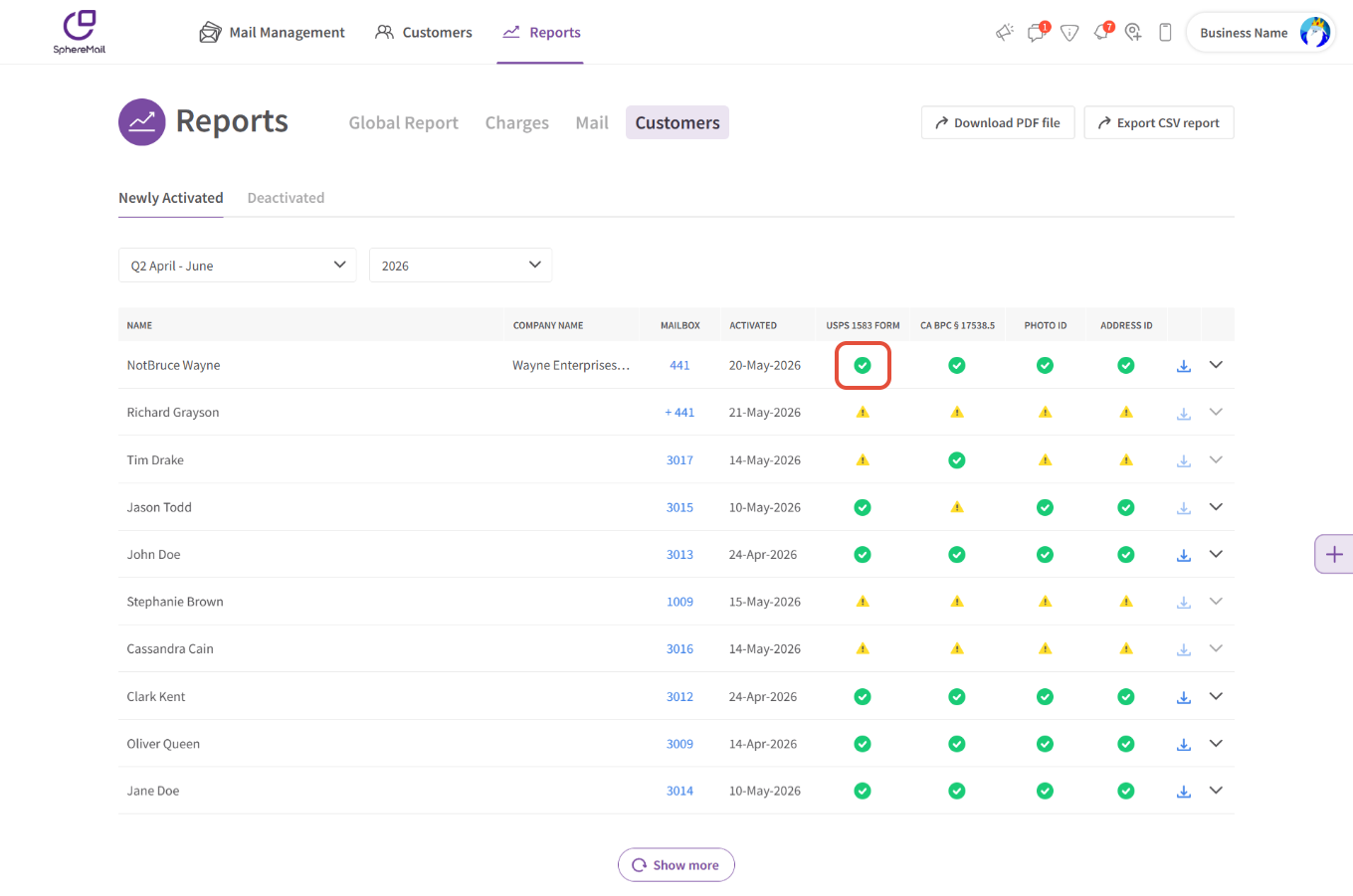
- You can also download any specific document you need by hovering over the green checkmark.
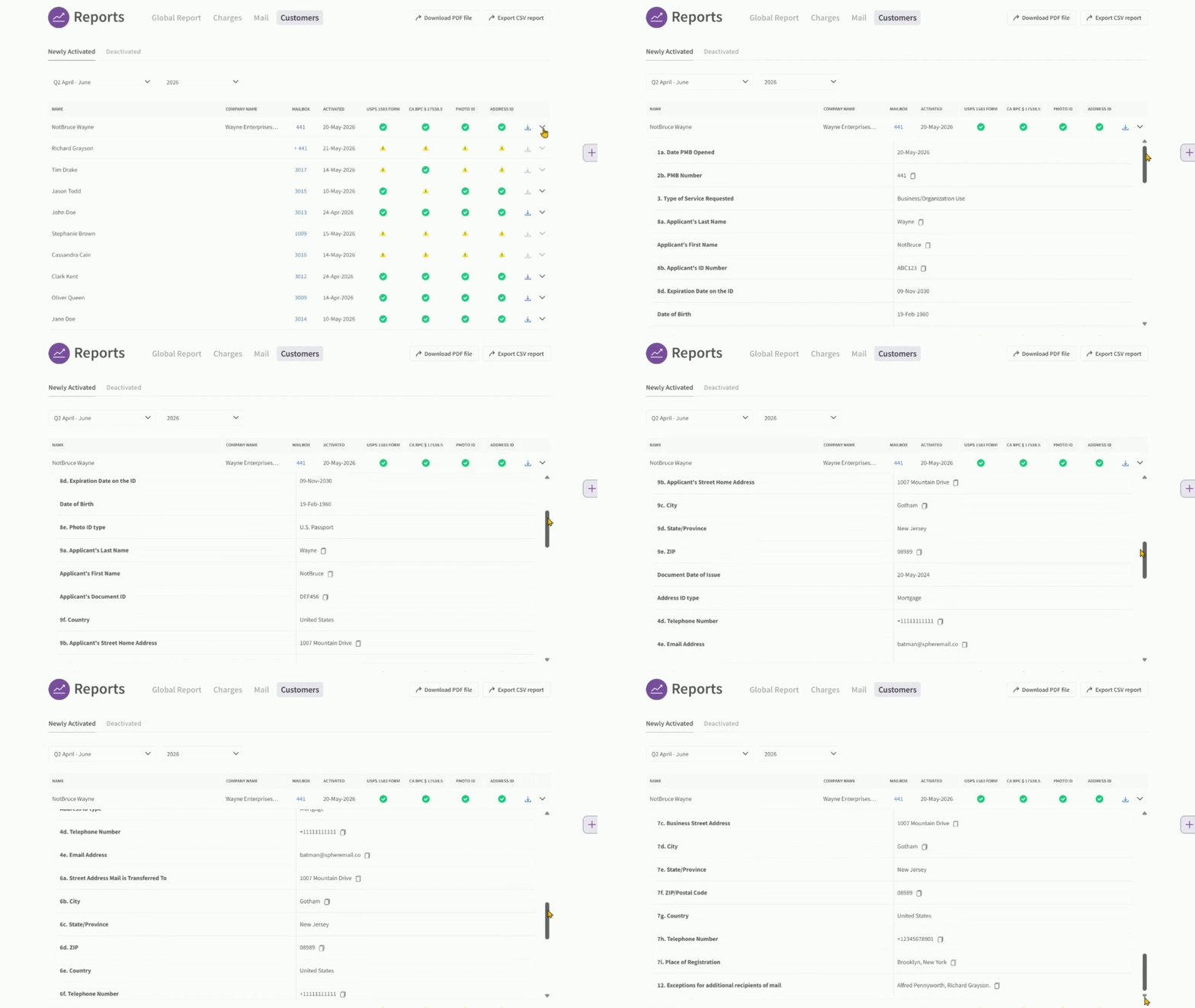
- An expandable section is added for US-based operators so you can view your customer's 1583 and ID information more easily and copy them for the USPS CRD.
How it works:
- For US-based CMRA Operators:
The tracker updates in real-time to help you keep up with your customer's compliance status and access relevant information once available so you can submit it to the USPS CRD. The process goes as follows:
- New customer is listed in the tracker as soon as they're activated with a subscription.
- The customer goes through the notary process to verify their identity and sign the 1583.
- Once the notary session is completed successfully, the documents are updated and listed in the tracker, along with all the information the customer submitted when notarizing their 1583 Form.
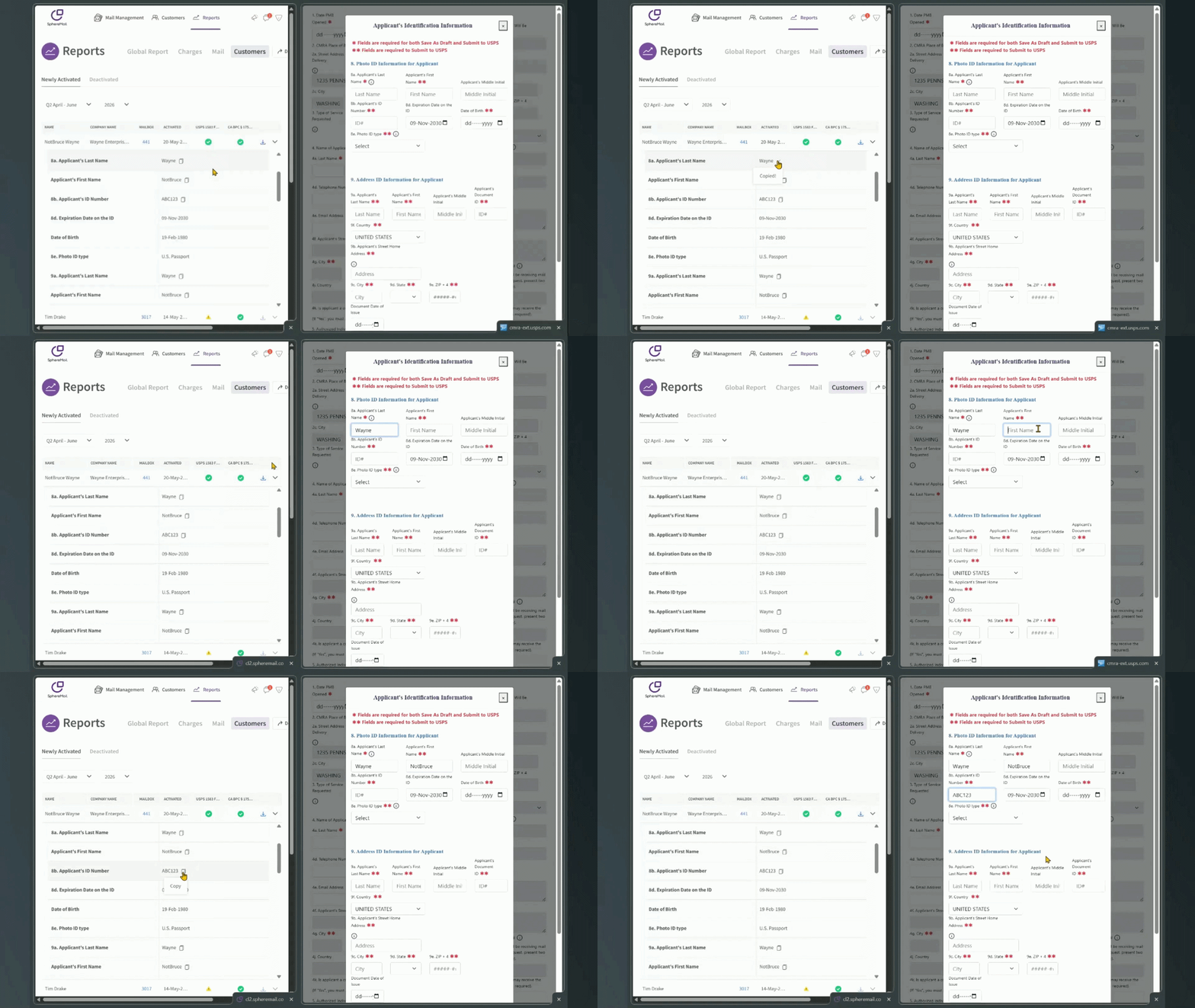
- All you need to do is review the information to ensure everything is accurate, then copy the data and paste it into your USPS CRD account as required:
Please note:
- If your business is based in California, your customers are also required to sign the CA BPC § 17538.5 acknowledgement.
- If your customer manually uploads their 1583, you will not be able to view and/or copy the raw data since our system doesn't OCR uploaded documents. In this case, the expandable area will be greyed out and you will need to fetch the data manually from the uploaded file.
- The bulk download option will only work when all required documents were provided and approved. If not, it'll remain greyed out and you'll only have the option to download single documents by hovering over the green checkmark.
- If the document was manually approved by an admin without a file uploaded to our system, the checkmark will still show to confirm you've approved the customer, but all download options and CRD-related fields will be disabled.
- If the customer had notarized the 1583 prior to May 22nd, 2026, some information will be unavailable. Any 1583 notarized after this date will follow the updated flow, which collects all data required by the CRD, and therefore, all the information will be available for you to copy.
- If you choose to download all the info in a CSV file, it'll include all available and relevant information needed for the USPS CRD. If you opt for a PDF file, it will not include all data, instead it will follow the CRD format for the quarterly reports.
- For non-US Virtual Office/Mail service providers:
The tracker updates in real-time to help you keep up with KYC compliance and access relevant information once available. The process goes as follows:
- New customer is listed in the tracker as soon as they're activated with a subscription.
- The customer uploads their Photo ID, utility bill, and any other required documents for you to review.
- Once you approve the documents, the customer's document status will be updated and all documents will be listed for you to view/download whenever needed.
Please note:
- Since all your customers' documents are manually uploaded/verified, you will not be able to view and/or copy any raw data since our system doesn't OCR uploaded documents.